
Turn Docs Sites, Sitemaps, and Feeds into a Single NotebookLM Source
Stop adding pages to Google NotebookLM one by one. SiteToMarkdown takes a docs URL, sitemap, or feed URL, discovers the relevant pages, and turns them into one clean Markdown file for NotebookLM, chatbots, and other LLMs.
Works great with Google NotebookLM, ChatGPT, Claude Code, and GitHub Copilot.
See how a full-site Markdown export gives NotebookLM the context it needs to answer complex questions correctly.
NotebookLM is powerful. Adding sources one by one isn’t.
If you’re using Google NotebookLM, you already know how powerful it is—once your sources are in.
The problem?
- Most documentation lives across dozens or hundreds of pages.
- NotebookLM expects you to add each page as a separate source.
- Copy‑pasting or manually downloading content is slow, repetitive, and error‑prone.
Instead of focusing on asking smart questions and building AI-powered workflows, you’re stuck doing mindless content wrangling.
You don’t need a new AI tool. You need a better way to feed the one you already love.
Why use SiteToMarkdown?
Google NotebookLM is powerful, but adding sources one by one can be tedious. SiteToMarkdown allows you to convert an entire documentation site, sitemap, or feed-driven content set into a single Markdown file, which you can then upload as a single source.
It’s built for people who actually use NotebookLM and want to spend time using AI, not preparing data for it.
Meet SiteToMarkdown — your NotebookLM content loader
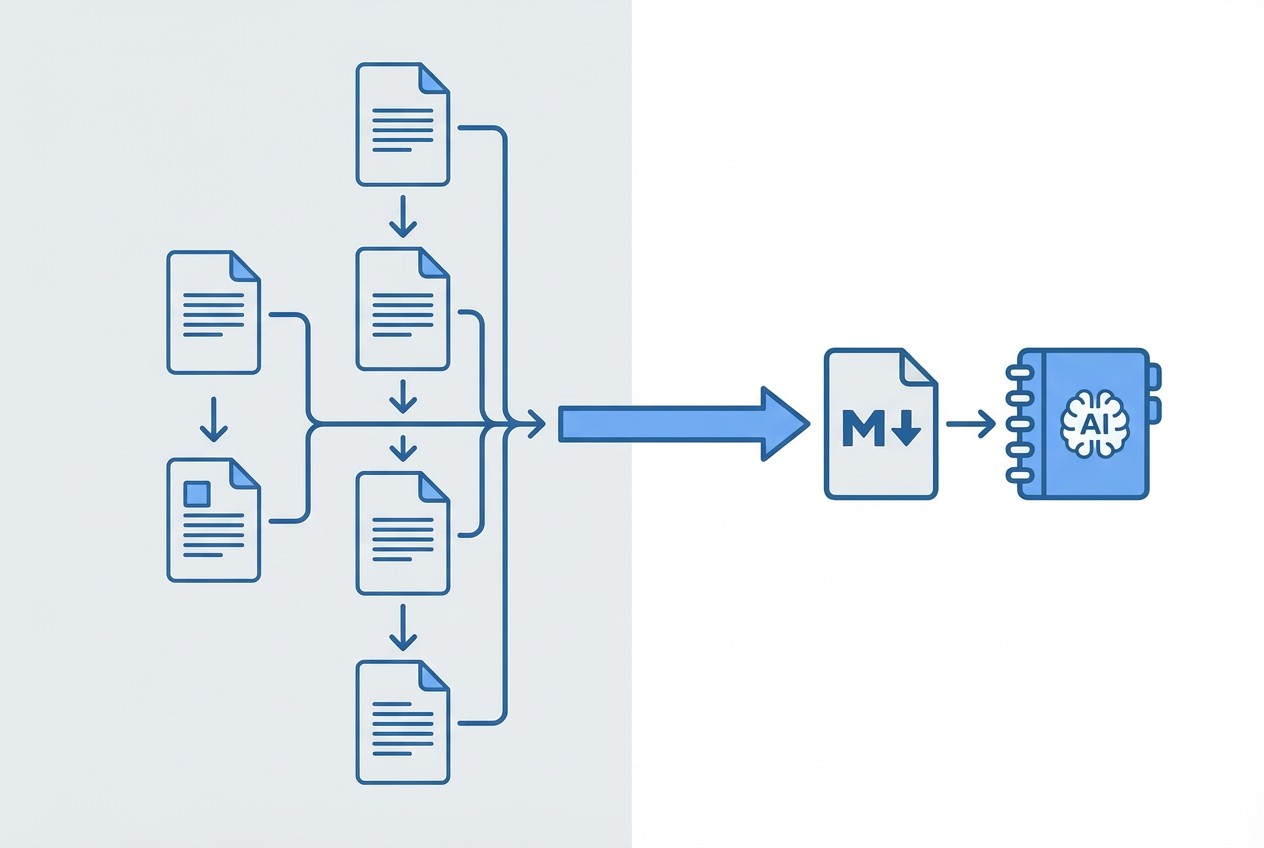
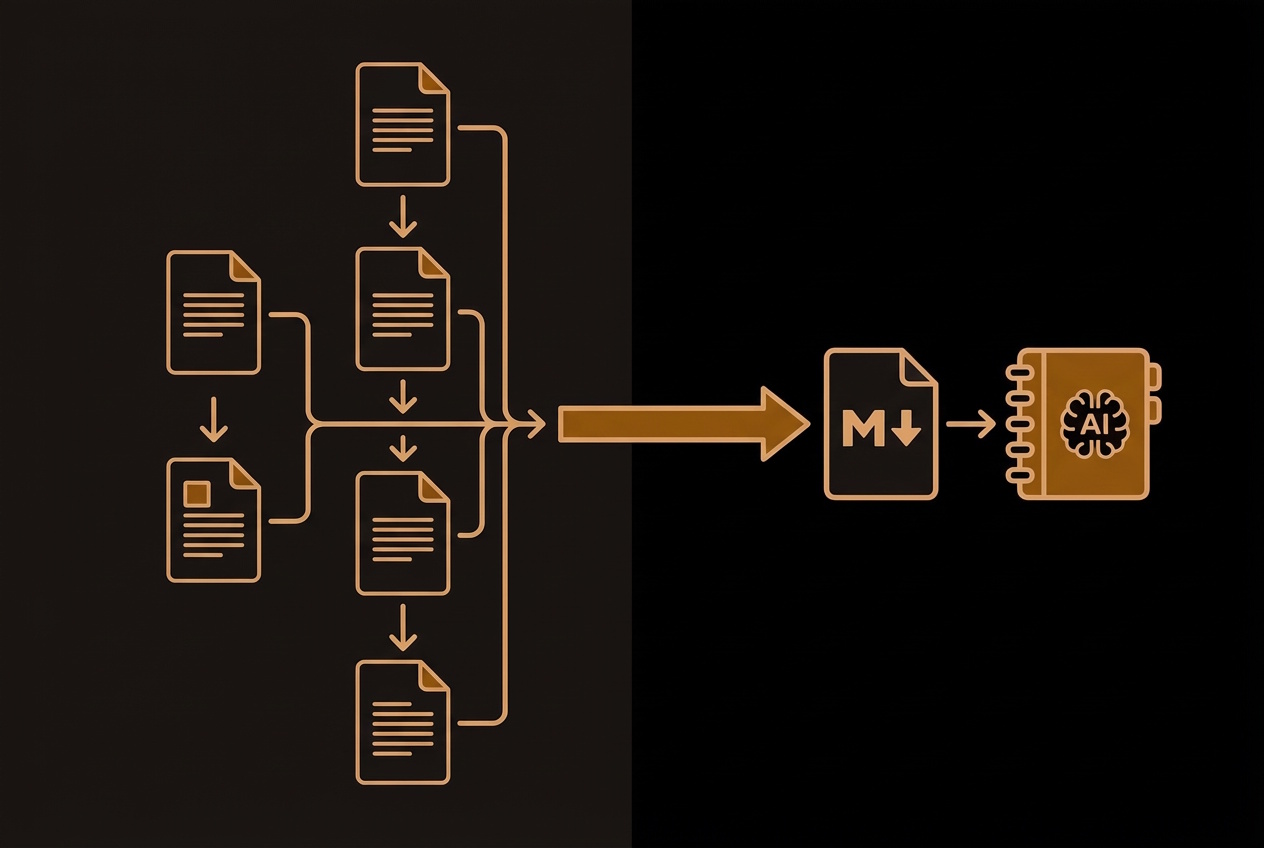
SiteToMarkdown takes a single seed URL (for example, your docs homepage, sitemap, or feed URL) and:
- Discovers pages from that source by following a docs path, XML sitemap, RSS feed, Atom feed, or JSON feed.
- Retrieves and cleans the content from each page.
- Merges it all into one well-structured Markdown file.
You can then upload that Markdown file as a single source to Google NotebookLM, instantly giving your notebook a rich, deeply linked knowledge base.
Built for people who actually use NotebookLM
-
Skip repetitive uploads
Stop adding pages one at a time. Turn an entire docs site into one uploadable file for NotebookLM. -
Keep context together
NotebookLM works best when it can see the full picture. A single Markdown source preserves structure, headings, and relationships across your docs. -
Perfect for AI chat, agents, and workflows
A unified Markdown file is not only ideal for NotebookLM, but also for ChatGPT, GitHub Copilot, and other LLMs that accept file-based context. -
No coding, no scraping scripts
Just paste a docs URL, sitemap, or feed, click convert, and download your Markdown. No scripts, crawlers, or dev time required. -
Great for versioned docs & updates
Need to update NotebookLM with your latest docs? Re-run SiteToMarkdown, upload the new file, and your notebook is refreshed.
From docs site, sitemap, or feed to NotebookLM in under 5 minutes
-
Enter the URL of the documentation source you want to convert.
Paste the documentation URL on the SiteToMarkdown home page (e.g.,https://yourdomain.com/docs/,https://yourapp.com/sitemap.xml, orhttps://yourapp.com/articles.atom). -
Wait for the conversion to complete.
SiteToMarkdown discovers the relevant pages from that source, extracts the main content, and converts it into Markdown. -
Download the generated Markdown file.
You’ll get a single Markdown file that contains all of your docs content. -
Go to Google NotebookLM and create a new notebook.
Visit Google NotebookLM and create a notebook for your documentation. -
Upload the Markdown file as a source.
Now NotebookLM can reference your entire documentation site as one cohesive source.
Perfect for power users of NotebookLM
Use SiteToMarkdown + NotebookLM when you want to:
-
Train NotebookLM on your product documentation
Turn support docs, API docs, or user guides into a single source so NotebookLM can answer customer questions and explain features. -
Summarize complex technical documentation
Let NotebookLM digest a whole docs site and give you high-level overviews, explanations, and comparisons. -
Build internal knowledge assistants
Combine SiteToMarkdown exports of your wiki, internal handbooks, and SOPs, then use NotebookLM as a smart internal assistant. -
Research across large public sites
Convert public documentation, standards, or reference sites into Markdown and let NotebookLM help you research, cross-reference, and synthesize. -
Create clean, portable knowledge bases for other LLMs
Use the same Markdown file as context for ChatGPT, GitHub Copilot, and other AI tools—no vendor lock-in.
A real NotebookLM success story: "Unable to import this webpage due to domain restrictions," then solved in minutes
One user wrote in after trying to prepare a presentation in Google NotebookLM from a website with a long series of articles. He had the exact workflow NotebookLM is supposed to make easy: load the source material, ask questions, and turn the answers into a strong presentation. Instead, he hit a wall immediately.
First, he pasted the article URLs directly into NotebookLM’s source importer, one by one. NotebookLM rejected them with the error "Unable to import this webpage due to domain restrictions." He then tried the site’s feed URL, hoping NotebookLM would at least accept that as a structured source for the same content. It failed with the exact same message.
The blocking issue was explicit every time: NotebookLM error: "Unable to import this webpage due to domain restrictions."
That’s when he tried SiteToMarkdown. He pasted the feed URL here instead, and everything clicked. SiteToMarkdown fetched all 26 pages from the feed, he placed the order, and in less than 3 minutes he had a single Markdown document containing the full set of articles, ready to upload to NotebookLM and use for his presentation.
His summary was basically: SiteToMarkdown worked like magic. Same content, same goal, completely different result. He went from being blocked by domain restrictions to actively working inside NotebookLM with a clean source file he could trust.
Why this story matters
This is exactly where SiteToMarkdown shines for NotebookLM users: when the raw website or even the feed URL is awkward, blocked, or unreliable inside NotebookLM itself, SiteToMarkdown can still retrieve the content, consolidate it, and hand NotebookLM a format it loves.
For this user, the difference was huge. He stopped fighting the importer, stopped juggling dozens of links, and got straight to building the presentation. Fast, clean, complete, and ready to use.
Try the same workflow with your own docs, sitemap, or feed
If NotebookLM is rejecting your pages or feed with "Unable to import this webpage due to domain restrictions," paste that source into SiteToMarkdown instead and turn it into one clean Markdown file.
Why not just copy-paste into NotebookLM?
Manual approach
- Add URLs or files one by one.
- Easy to miss pages or add duplicates.
- Takes hours for large sites.
- Hard to keep updated.
With SiteToMarkdown
- Convert a docs path, sitemap, or feed source in one go.
- Get consistent, structured Markdown.
- Takes minutes, not hours.
- Simple to rerun when docs change.
Clean, structured Markdown your tools will love
SiteToMarkdown is designed for technical workflows:
- Preserves headings and hierarchy so sections remain easy to navigate.
- Produces standard Markdown that works with NotebookLM and most LLM tools.
- Ideal as a single source of truth for agents, RAG pipelines, or custom AI apps.
You can treat the exported Markdown as your portable knowledge asset, across tools and platforms.
FAQ
Does SiteToMarkdown work only with NotebookLM?
No. SiteToMarkdown generates a Markdown file, which you can use with Google NotebookLM, ChatGPT, GitHub Copilot, or any other LLM that supports file uploads or text context. This page focuses on NotebookLM use, but the file is fully reusable.
What kind of URLs work best?
Any documentation-style source where relevant content is reachable from a common docs path, sitemap, or feed, such as:
https://yourapp.com/docs/https://yourcompany.com/help/https://domain.com/knowledge-base/https://yourapp.com/sitemap.xmlhttps://yourapp.com/articles.atom
SiteToMarkdown will follow that source, retrieve the linked pages, and merge their content.
Do sitemaps and feeds work with NotebookLM exports?
Yes. SiteToMarkdown supports XML sitemaps plus common feed formats including RSS, Atom, and JSON Feed. That makes it useful for documentation hubs, changelog feeds, release notes, and publication archives you want to load into NotebookLM as one source.
Will it include navigation, headers, or ads?
SiteToMarkdown is designed to focus on the main page content. While exact results can vary by site, the goal is to produce clean, readable Markdown that’s useful as LLM context—not a messy HTML dump.
How big can the Markdown file be for NotebookLM?
NotebookLM supports sizable sources, but you’ll still be limited by its own file size and token limits. For very large sites, you might choose to:
- Export per section (e.g.,
/docs/api/,/docs/user-guides/). - Create multiple Markdown files and upload each as its own source.
Do I need to install anything?
No. SiteToMarkdown is a web-based tool. Just visit the site, enter your URL, and download the Markdown file—no installs, no scripts.
Can I update my NotebookLM source when docs change?
Yes. Simply re-run the same URL in SiteToMarkdown, download the new Markdown file, and upload it to your NotebookLM notebook. It’s an easy way to keep your AI assistant in sync with your latest documentation.
Automate NotebookLM source refreshes with the API
If your docs change frequently, use the SiteToMarkdown API to keep NotebookLM sources current without manual export steps.
- Submit your docs URL on a schedule.
- Wait for conversion completion and fetch the latest Markdown artifact.
- Upload the refreshed file to NotebookLM as your updated source.
Give NotebookLM the context it deserves
You’ve already chosen a powerful AI tool in Google NotebookLM. Now give it the complete, structured context it needs—without fighting with dozens of separate pages.
No scripts. No copy-paste. Just paste a docs URL, sitemap, or feed, download Markdown, and upload to NotebookLM.